
Best 3D printers with remote monitoring
Updated 18 September 2026 · Live prices on every page load from United Kingdom marketplaces
Wi-Fi plus an integrated camera so you can watch the print from the sofa, from the office, or from bed at 2 AM when you hear the part-cooling fan change pitch.
- #1
 QIDI TECHQIDI MAX4£959 CoreXY · 51.7 L · 370°C · Loadcell Sensor
 - #2
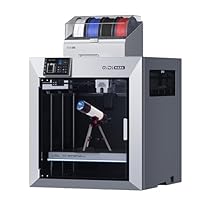 QIDI TECHQIDI MAX4£1029 CoreXY · heated chamber · 51.7 L · 370°C · Loadcell Sensor Integrated int
 - #3
 CrealityK2 Plus Multi 16 Colors Printing£700 CoreXY · 42.9 L · 350°C · Strain gauge
 - #4
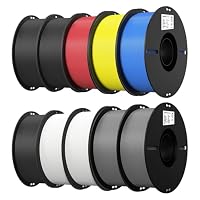 CrealityEnder PLA Filament 1.75mm£117 Bedslinger · 20.3 L · 300°C · Auto Leveling
 - #5
 CrealityCFS - Filament System£289 Cartesian · 42.9 L · 350°C · Automatic leveling
 - #6
 QIDI TECHQIDI Plus5£639 CoreXY · heated chamber · 30.7 L · 370°C · Loadcell
 - #7
 QIDI TECHQIDI Box Multi-Color 3D Printing System£199 CoreXY · 18.9 L · 370°C · Loadcell Sensor Integrated int
 - #8
 CrealityK1 Max£589 CoreXY · 27.0 L · 300°C · AI LiDAR
 - #9
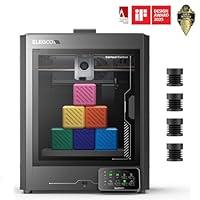 ELEGOOCentauri Carbon£209 CoreXY · 16.8 L · 320°C · Auto-leveling
 - #10
 QIDI TECHQIDI Plus5 Multi-Color£769 CoreXY · heated chamber · 30.7 L · 370°C · Loadcell
No listings match your current marketplace selection - tick more sources above.
Matt's take
Remote monitoring sounds like a gimmick until a print fails at hour eight and you were out. A camera plus pause-on-spaghetti detection turns a ruined weekend into a re-sliced Monday. Two caveats: most first-party cameras are 720p and lag by 2-4 seconds, which is fine for status checks and bad for artistic recording; and cloud features on Bambu, Creality and Anycubic require you to own an account with them - consider what that means for your data. Local-only Octoprint-flavoured options exist but take more setup.
Frequently asked
Do I really need a camera on my 3D printer? +
For the first month, no. After your first failed print that you did not catch until hour eight of twelve, yes. A camera plus "stop if the AI spots a failure" turns most spaghetti into a wasted hour, not a wasted weekend.
How good is Bambu Lab's AI failure detection? +
It catches the obvious failures (classic bed detachment spaghetti) reliably. It misses subtle ones like one wall of a thin-walled print delaminating. Worth having; not a replacement for checking in periodically.
Can I self-host printer monitoring without the cloud? +
Yes - Klipper + Mainsail or Octoprint on a Raspberry Pi with a USB webcam is the standard DIY route. About £80 of hardware plus an afternoon of setup. Gives you full control and no vendor account.
Related reading
Ranking is spec-driven. It favours printers that objectively have the capabilities this shortlist targets. Firmware, support quality and long-term reliability aren't on the spec sheet - read the full printer page and owner reports before committing.
